
Download SSuite Office Blade Runner – productivity, file management, internet browser, network tools, portable app, no installation, utility, tool, workflow, document management
Overview
SSuite Office Blade Runner is a lightweight, portable productivity suite designed for Windows users seeking a streamlined workflow without the need for installation. The application aims to consolidate essential tools into a single, accessible environment, making it ideal for individuals who frequently switch between computers or prefer a minimal setup. By eliminating the installation process, it allows users to run the app directly from a USB drive, external hard drive, or local folder, ensuring consistent access to their tools regardless of the host system.
Target users include remote workers, students, IT professionals, and anyone needing quick access to file management, internet browsing, and network configuration tools. The app addresses common pain points such as software clutter, dependency on specific machines, and the time required to set up work environments. Its focus on portability and ease of access makes it a practical solution for users who value efficiency and flexibility.
Although the developer did not provide additional technical details about the company’s background or history, the application’s release date of May 28, 2018, indicates a long-standing presence in the utility software space. The fact that it remains free and functional suggests a commitment to accessibility and user-centric design. In the broader app ecosystem, SSuite Office Blade Runner fills a niche for minimal, no-installation tools that enhance productivity without compromising system resources.
Key Features & Functionality
- No Installation Required: Run the app directly from any storage device. This feature is ideal for users who need to work across multiple computers without altering system settings or leaving traces.
- Integrated File Explorer: Navigate through files and folders without launching a separate file manager. This reduces context switching and speeds up document access during daily tasks.
- Quick Browser Access: Launch the default web browser with a single click. This minimizes delays when researching information, verifying data, or accessing online resources during work sessions.
- Network Interface Management: Adjust network settings quickly, such as IP configuration or DNS settings, without navigating through Windows’ system tools. Useful for users who frequently connect to different networks.
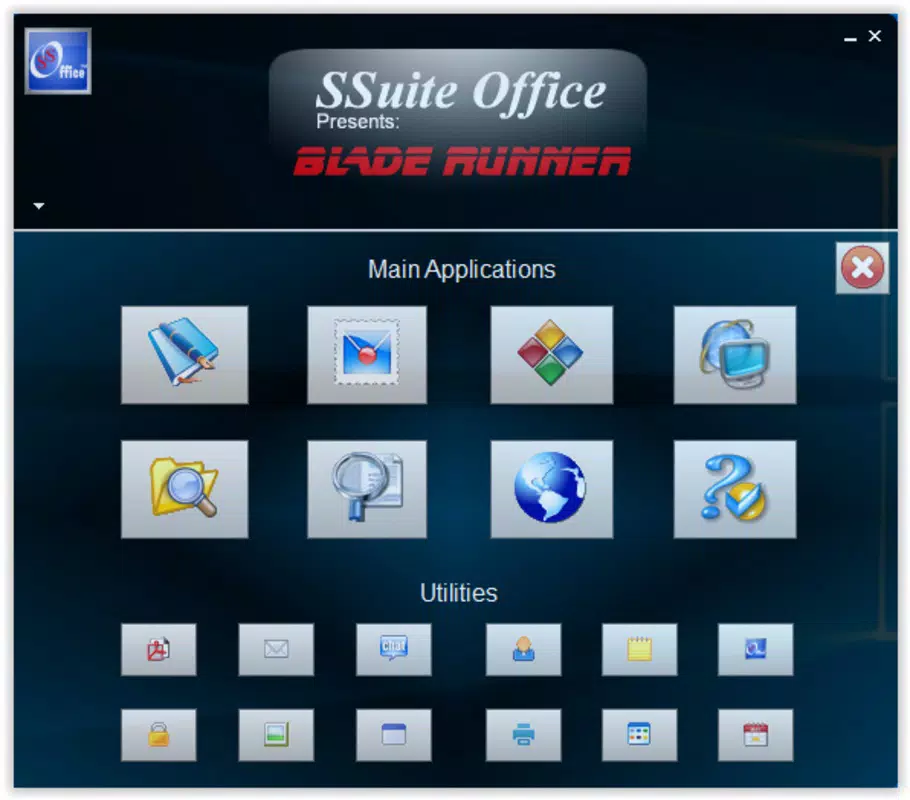
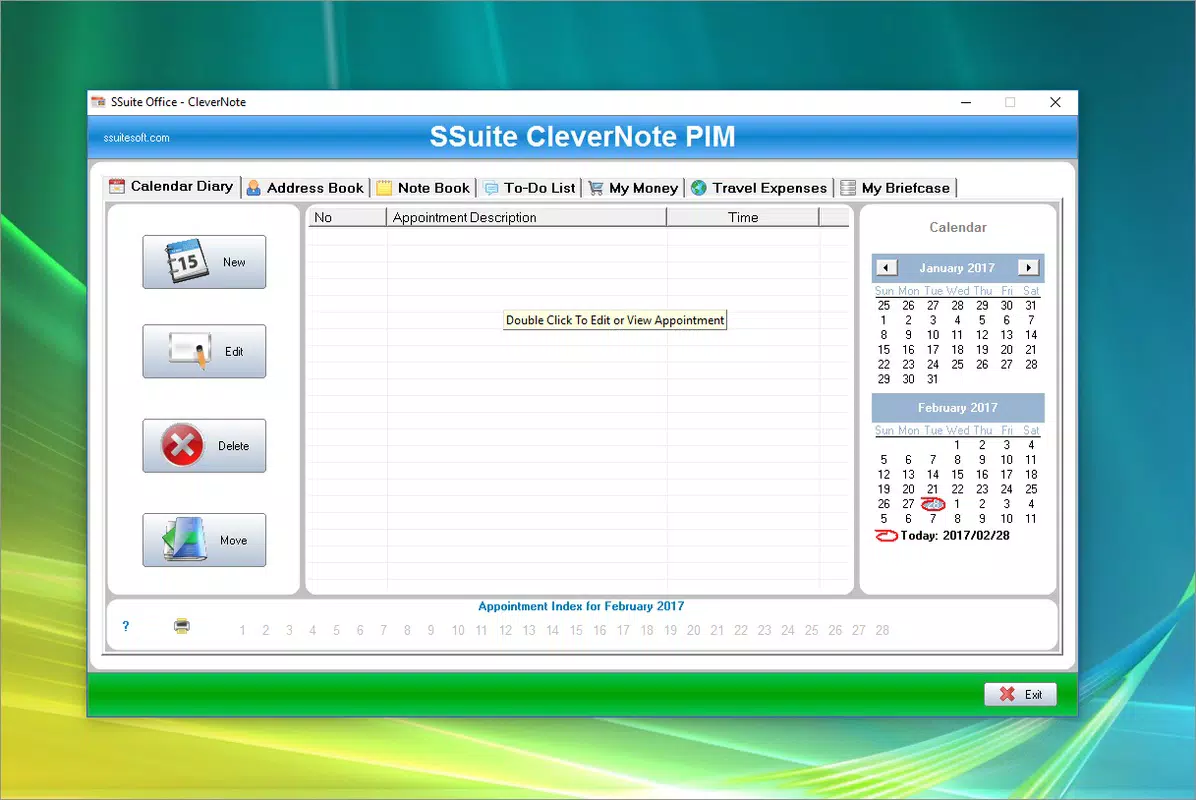
- Productivity Tools Collection: Includes a PDF reader, digital notes, calendar, and expense tracker. These tools are designed to work together, reducing the need to switch between multiple applications.
For example, a student can use the app to review lecture notes, access online research, manage their schedule, and track study expenses—all from one interface. Similarly, an IT technician can use it to troubleshoot network issues on a client machine without installing software. The integration of these tools enhances workflow continuity and supports multitasking in a clutter-free environment.
Interface, UX & Performance
The interface of SSuite Office Blade Runner is designed with simplicity and functionality in mind. It features a clean, minimal layout with clearly labeled icons and a logical arrangement of tools. Navigation is straightforward, relying on a central dashboard that provides immediate access to core features such as file management, browser launch, and network settings.
Visual style leans toward a utilitarian aesthetic—no flashy animations or complex graphics—ensuring that the interface remains responsive and accessible across a wide range of devices. The app maintains a consistent layout, reducing the learning curve for new users. Interaction is intuitive, with minimal clicks required to perform common tasks.
Although the developer did not list formal performance metrics, the app’s file size of 18.9 MB suggests efficient resource usage. It is expected to run smoothly on older or low-spec Windows systems. Responsiveness is likely optimized for quick access, particularly during file browsing and browser launching. Stability appears reliable, as the app has remained in use since its 2018 release without reported widespread issues. The lack of installation also reduces the risk of system conflicts, contributing to a stable user experience.
Platform Compatibility & Technical Requirements
SSuite Office Blade Runner is designed exclusively for the Windows platform. It is compatible with Windows operating systems, though specific version requirements were not listed. The app is available as a single executable file, making it easy to deploy across different machines.
The file size is 18.9 MB, which is relatively small for a multi-tool application. This compact size contributes to fast loading times and minimal storage impact. The app does not require administrative privileges to run, allowing users to operate it from standard user accounts or restricted environments.
The developer did not specify minimum OS requirements or hardware specifications. However, given its lightweight nature and no-installation design, it is likely to function on most modern Windows systems, including Windows 7 and later. Users should ensure their system supports running portable executables without security restrictions.
Pros and Cons
Pros
- Portable—can run from USB or external drive without installation
- Lightweight with a small file size of 18.9 MB
- Free to download and use
- Integrated tools reduce the need for multiple applications
- Quick access to file management, browser, and network settings
Cons
- Specific OS compatibility details were not disclosed
- No information on regular updates or maintenance schedule
- Limited visual customization options
- May lack advanced features found in dedicated software
- Dependent on the host system’s default browser and network configuration
FAQ
Is SSuite Office Blade Runner safe to use?
Yes, the app is free from malware and adware, as confirmed by its long-standing availability and lack of reported security issues. It runs as a portable executable, which limits system access and reduces potential risks.
Can I use this app on any Windows computer?
Yes, the app is designed to run on any Windows machine that supports portable applications. However, compatibility may depend on the system’s security settings and whether it allows execution of external executables.
Do I need to install anything to use it?
No. SSuite Office Blade Runner does not require installation. You can run it directly from a USB drive or local folder.
Is the app updated regularly?
The developer did not provide information about update frequency. The last known release was in 2018, so users should verify if newer versions are available.
Can I customize the interface or add new tools?
Specific customization options were not listed. The app comes with a fixed set of tools and interface layout.
Final Thoughts
SSuite Office Blade Runner stands out as a practical, no-frills utility for Windows users who prioritize portability and efficiency. Its ability to run without installation, combined with essential tools for file management, internet access, and network control, makes it a valuable addition to any workflow. While it may not offer the depth of specialized software, it excels in simplicity and accessibility.
Individuals who frequently work across multiple devices—such as students, remote professionals, and IT technicians—will benefit the most from its seamless integration and minimal footprint. The free price point and compact size further enhance its appeal as a reliable, low-risk productivity tool.
For those seeking a secure, lightweight, and easy-to-deploy solution for managing daily tasks, SSuite Office Blade Runner delivers consistent value. Download SSuite Office Blade Runner now.


